Adding to the scripts- Grid border
18/01/24
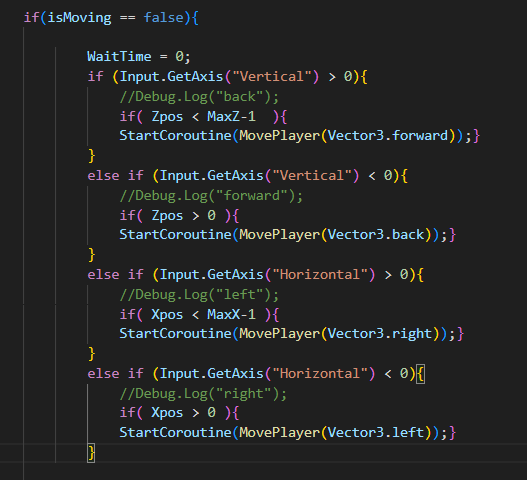
Added limits to where the character can move using the numbers used for the grid script so the character can't move outside of the grid.
I did this by adding an if statement to the movement script, to check that the tile the character would move to was within the grid. I had some problems where the character got stuck outside of the grid but I solved this by splitting the if statements into 4 parts and linking to the 4 movement directions.
I updated the character, however the leaves still have problems.
I need to fix the movement because at the moment there is a delay between when the character moves and when the button is pressed.
I used the "transform.forward = movementDirection;" line from this script to add rotation but I had to change it to "transform.right = direction", so that it works with the rest of the game (transform.forward was off by 90 degrees) There is also a part of the script in the link above that moves the rotation more smooth but I'm not sure if that is necessary for tile based movement.


Comments
Post a Comment